Slurm Job Tracking
An in-house Python script from the Paton group that will allow you to track completion of slurm jobs. Especially useful if you are running numerous jobs in numerous locations.
To install and use:
- Copy jobcheck.py to machine
You can copy the file anywhere; I chose my home directory.
(optional) Add alias to your .bashrc >>
alias sq='python ~/jobcheck.py'- Run command
When you run for the first time, the script initializes and logs current
job information. - Note you should run the command everytime after you submit jobs, or else it won't log current job info.
This is what it looks like when you run the command and a job has ended since the last time the command was run:
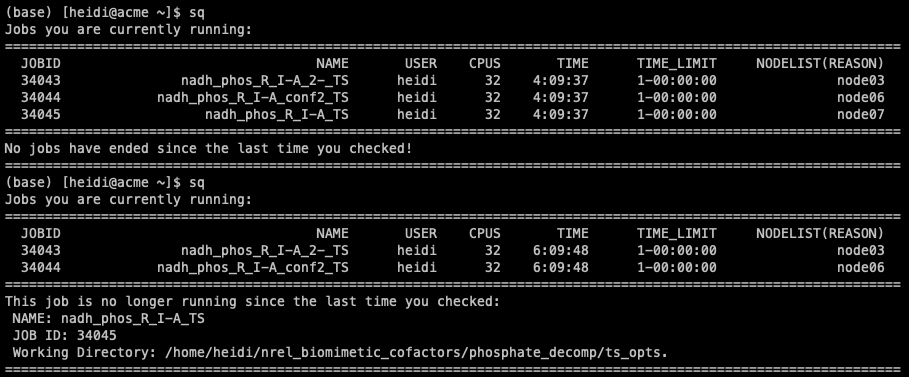
Now I can quick cd into the directory of the finished job, or copy it over to my local machine.